Image to depth map
A depth map represents surface height as grayscale values. The local preview maps image brightness to gray; formal generation asks a model to infer a relief and returns a 16-bit PNG.
Inspect tonal layers and depth direction
- Long side (mm)
- 100 mm
- Relief depth (mm)
- 1 mm
- Base thickness (mm)
- 2 mm
- Surface direction
- Raised
Starting values for a design study. Check the generated file before making it.
An image. A relief. Your next project.
AI-created source images, converted with Meshy Relief via FAL. These are actual model renders; no physical prints or carvings have been tested.
A portrait with a little more dimension
A fictional portrait shows how soft light and an unobstructed face translate into a relief study for a personal gift.

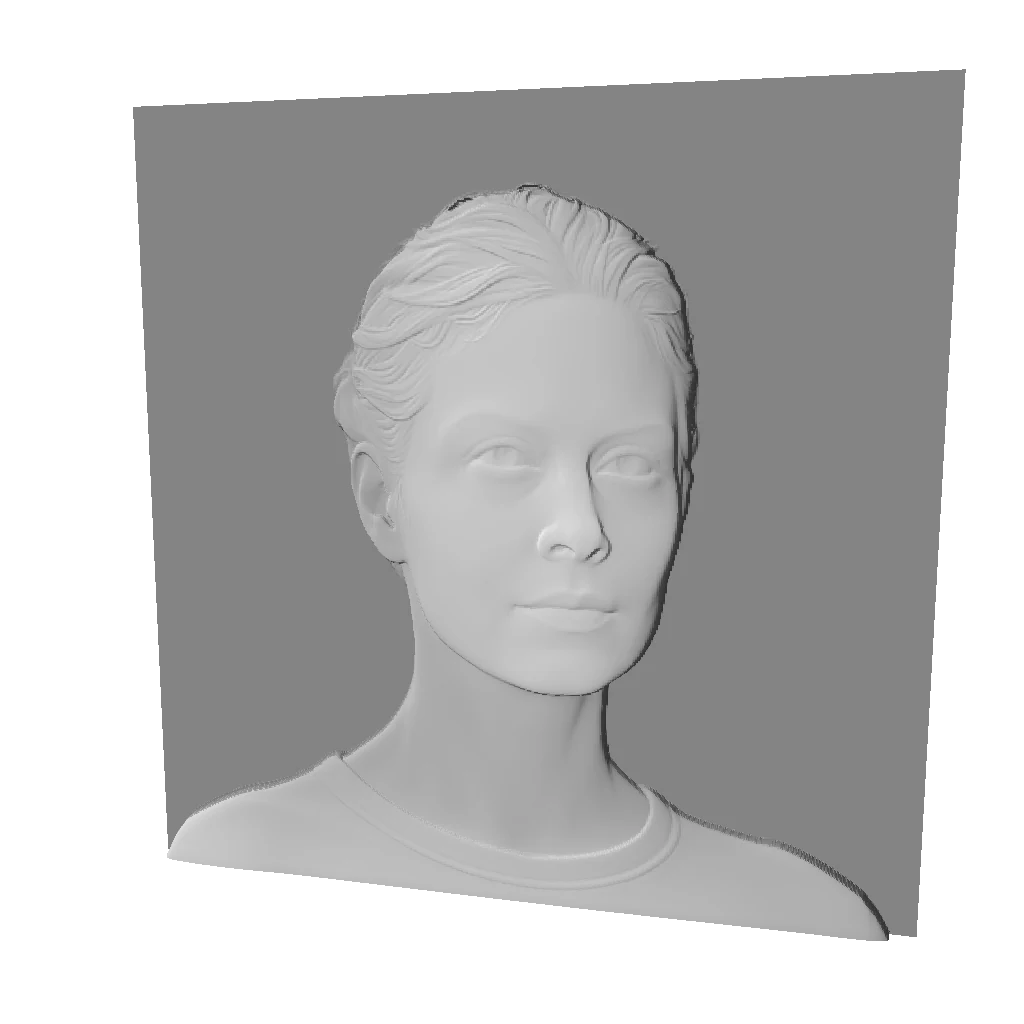
The face, hair and collar form distinct layers. The inferred shape is not a precise scan, and likeness is not guaranteed.
Explore this workflow- Longest side
- 100 mm
- Relief depth
- 4 mm
- Base
- 2 mm
Embossed · base retained · no bend · mesh 512
Choose this kind of image
A photo with clear outlines and unclipped tones; first decide which areas should rise or recede.
Choose another image if…
Treating black and white colors as actual distance, or expecting measurement-grade distance data.
Brightness is not distance
Dark fur and cast shadows can be dark even when they are physically close. The local preview is useful for checking crop and contrast, but it is not a prediction of the model output.
Why preserve 16 bits?
A 16-bit grayscale image has more possible levels than an 8-bit image. Preserve the original download through your editing workflow; converting it to JPEG discards that precision.
Depth-only pricing
The first release includes the depth map with the full STL and GLB generation. A separate low-cost depth-only product is not offered until provider cost and output quality are verified.
Before generating again
- A bright object appears low in the local study
- The local study uses brightness and does not recognize objects. Use it to check composition and direction, then assess the generated model separately.
- Visible bands appear after editing the download
- Check whether you used the 8-bit thumbnail or converted the file to 8-bit or JPEG while editing. Download the original 16-bit PNG again from the result page.
Questions about this workflow
Can the free preview replace the generated depth map?
No. The local brightness study checks the input; generation returns a model-inferred 16-bit PNG. They have different origins and purposes. Saving the page preview does not produce the generated deliverable.
Does 16-bit mean more accurate depth?
Sixteen bits provide more grayscale levels, not proof of more accurate inferred geometry. Photo quality, model inference and later processing still determine usefulness.
Can I buy only a depth map?
There is currently no separate depth-only package. The depth PNG is included with STL and GLB in each generation; see pricing for credit packs.